

 Solutions
  Applications
  Industries
  Products
  Contact
  Sign in
 Send SMS from the command line
Ozeki NG SMS Gateway software can be configured to send SMS from the command line interface(CLI) to mobile phones. This simple method can be brought to operation easily in no time. This article explains how to implement this solution to post SMS messages.
Introduction
Sending SMS is the quickest mean of information transfer
today as it has the potential to connect the recipient immediately. From
the early 90s text messages have risen from everyday life to business
operation use and they are integrated in the inter- and intra-communication
of companies. Being quick, brief and efficient SMS is widely used for
sending notifications, alerts, reports or warnings.
With the help of
Ozeki NG SMS gateway and the command line tool you can configure your system
to send automated SMS easily (Figure 1).

It is fast, reliable and efficient because of its simplicity. With this interface a quick and reliable SMS service can be set up that can give your IT workflow a telling effect. Consequently being well informed is equal being professional. This SMS service can provide the essential information for professional IT management and eventually for professional business procedures as it sends the information immediately to the intended individual. This method overcomes the time-consuming information flow within and outside the company which eventually greatly increases business efficiency. Ozeki provides this ability with its command line interface as it enables the user to send SMS from the command line tool.
How to send SMS from the command line
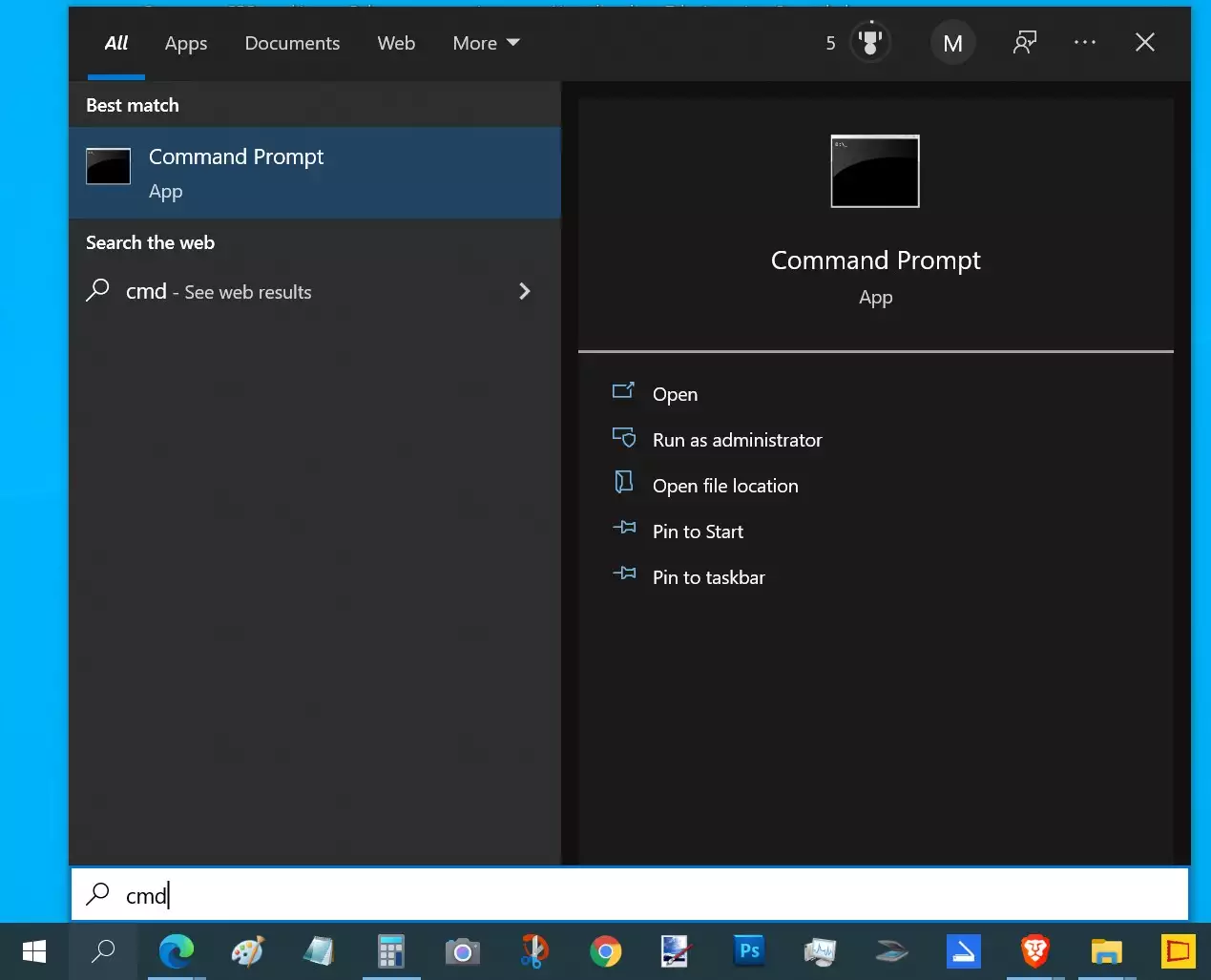
Ozeki NG SMS Gateway's interface enables you to send SMS from the command line tool. All you need to do is to run the command line tool first. Hit windows button + R and the Run window pops-up into which type: cmd (Figure 2) than click OK.
The command line appears in which you need to run the SendSMS.exe program in order to send an SMS message. Execute it with the following parameters:
SendSMS.exe -h hostname:port -u username -p password -r recipient -m message [optional parameters
- hostname: the computer's IP address
- port: the path provided for the SMS
- username: the registered username in Ozeki NG SMS Gateway software
- password: its password
- recipient: the recipients phone number in international format e.g.:+36701234567
- message: the message's text
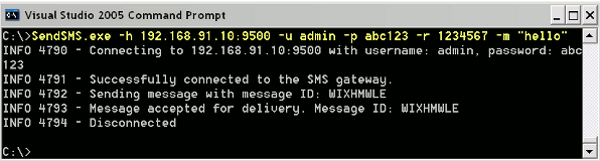
The following example sends an SMS with the text
"Hello World!" for the phone number provided in the syntax.
SendSMS.exe -h 127.0.0.1:9500 -u admin -p abc123 -r "+36201234567" -m
"Hello world" (Figure 3).
 |
Download SendSMS.exe(.zip)
|
Other parameters can also be given:
- -h Hostname and port of Ozeki NG SMS Gateway (Mandator)
- -u Username
- -p Password
- -r Recipient address
- -m Message text
- -s Sender address
- -t Message type
- -l Log communication, possible values: on/off
- -c stop condition, possible values: accepted/sent
If you wish to download Ozeki NG SMSGateway,
please go to our product page.
If you want to learn more on
how your system can connect to the mobile network, please go to the following page:
GSM Modem vs. IP SMS connectivity
To learn how to benefit from implementing SMS solutions in your business, please go to
business SMS solutions page.
Feature list of Ozeki NG SMS Gateway
User Guide for Ozeki NG SMS Gateway
The SMS Gateway Product manual
More information