

How to send a word .doc file from Windows using browse icon
Discover easy document sharing with Ozeki Chat. This guide walks you through sending .doc files from your Windows device using the browse icon feature. Forget complex transfers – Ozeki Chat simplifies communication. Collaborate effortlessly and enrich your workflow by integrating .doc files into your chats. Experience the convenience of Ozeki Chat's file sharing capabilities. Start simplifying your communication today!
How to send a word .doc file from Windows using browse icon (Quick steps)
To send a word .doc file from Windows using browse icon
- Launch Ozeki Chat application on your Windows device
- Log into your Ozeki Chat account
- Open the conversation with the recipient contact
- Find the attachment icon at the chat conversation
- Select .doc file
- Let the file load
- Send the file message
- Use the .doc file as you wish to
Sendig process of a .doc file from Windows (Video tutorial)
In this video, you will get an easy-to-follow guidance on learning the exact method of sending a .doc file from Windows using the browse icon in the Ozeki Chat. The process is fast and easy, so you do not need any special knowledge of informatics. Competing the task will not cause any difficulties for you. Follow the clear instructions, and send as much file messages as you wish, using Ozeki Chat application on your Windows device.
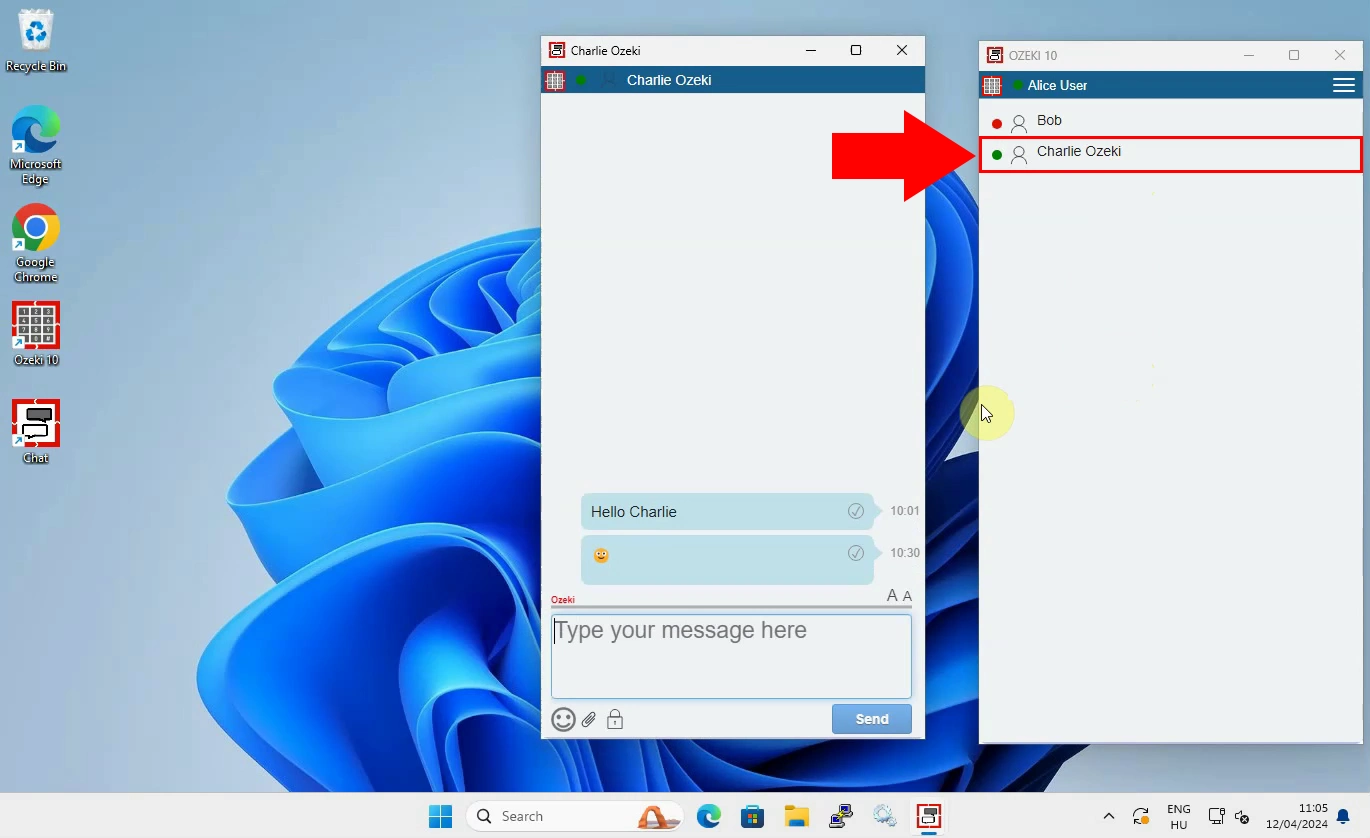
To begin the process, you need to log into your Ozeki Chat account by launching the Ozeki Chat application on your Windows device. In case, if you have not installed the aplication already, then download it from the Ozeki website's download page. After downloading and installing the Ozeki Chat, reach your Ozeki profile and log into it. To start the attachment sending process, open the chat conversation (Figure 1) with the desired contact whom you wish to send a .doc file message.
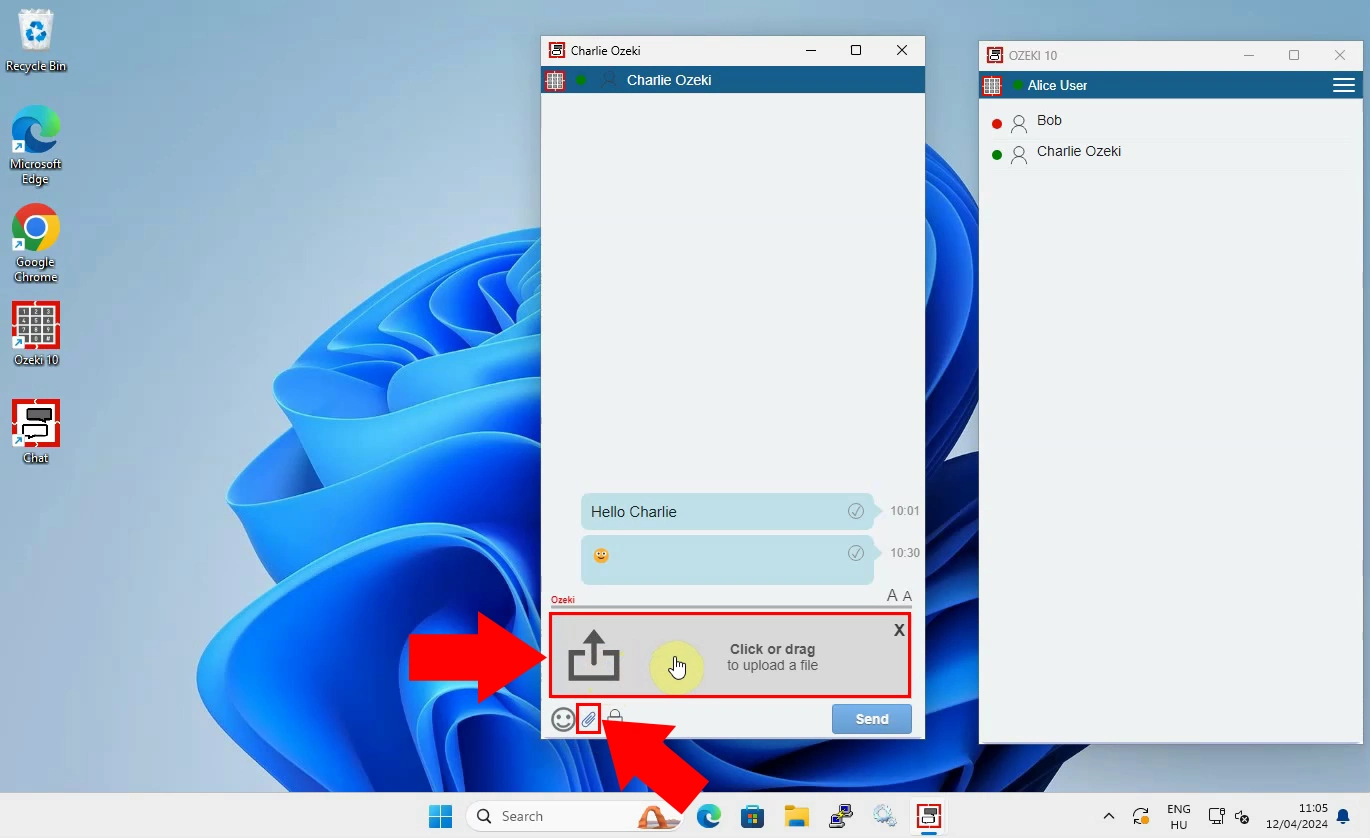
In the subsequent part of the process, find the attacment icon (Figure 2) in the chat conversation. This allows you to attach files in the Ozeki Chat interface, and send it to your chat contacts or chat groups. Once you've found the attachment icon, you need to click on it. This action opens the file browser on your computer to select the file you want to attach from it's storage.
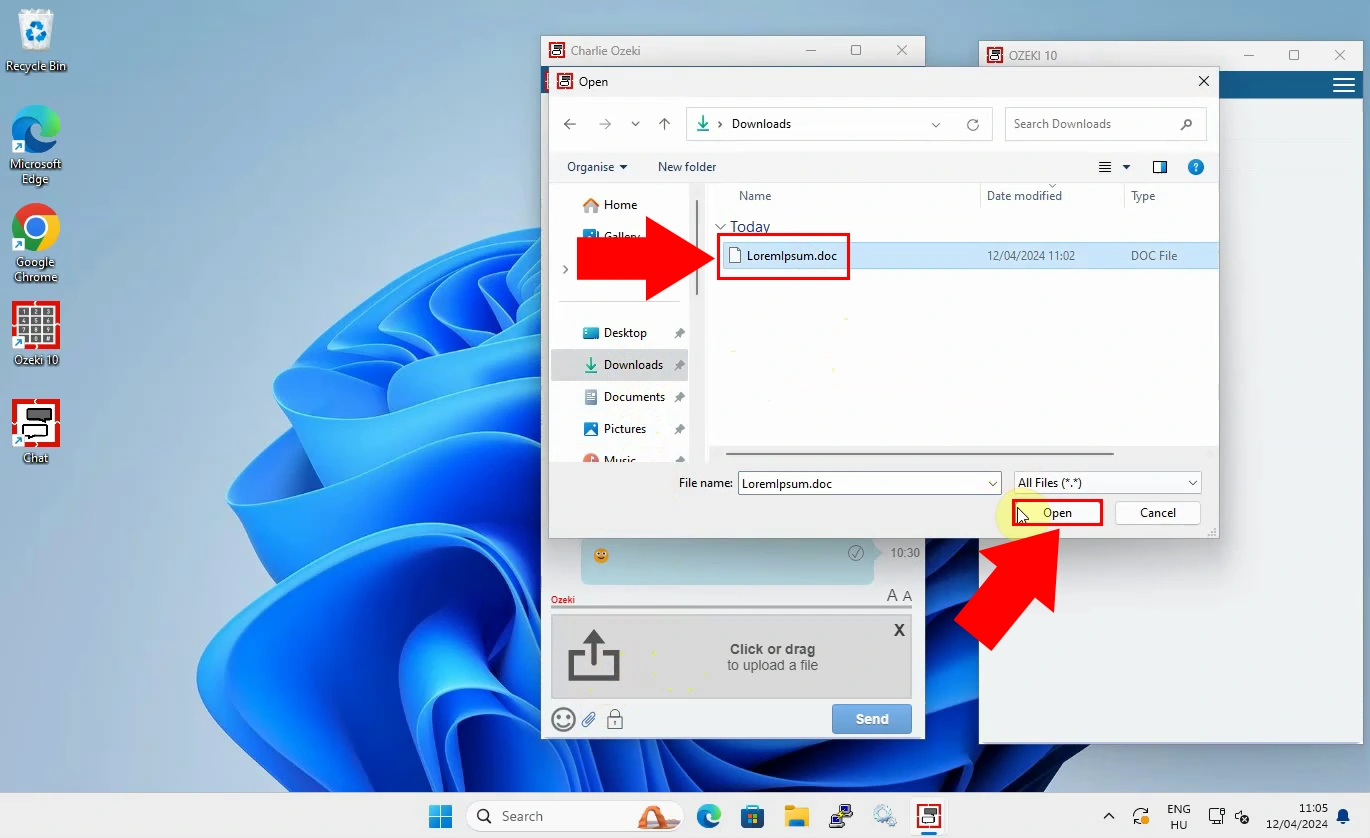
After you have clicked on the attachment button, and the file browser has been opened, you have to select the desired .doc file in the computer's storage. (Figure 3) You can do this by browsing through the folders on your computer until you find the file you want to attach. Once you've located the desired .doc file, click on it to select it. Select it, then click on the "Open" button to confirm your selection.
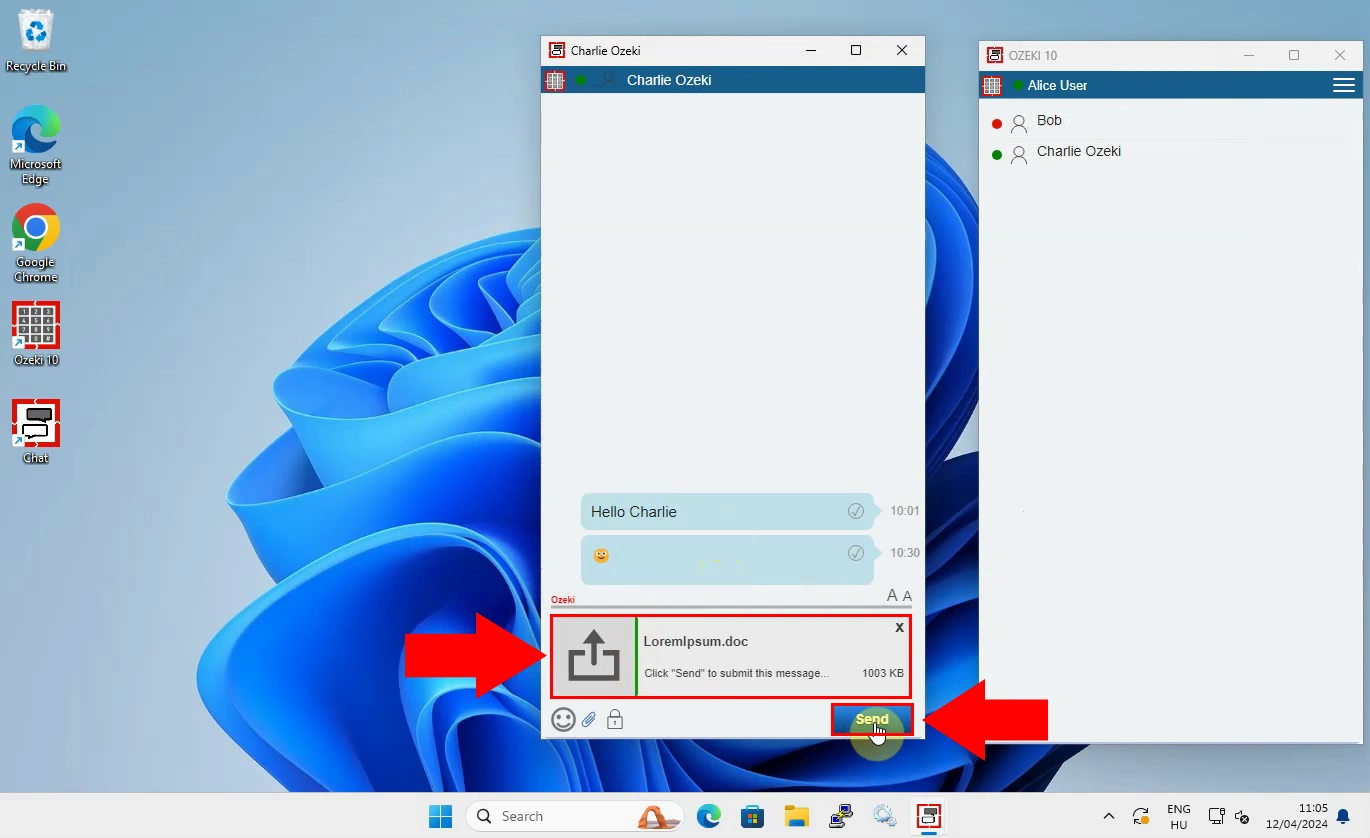
Let the file load in the Ozeki Chat's interface, then initiate the delivery process by clicking on the "Send" button within the chat conversation. (Figure 4) This loading process ensures that the file is ready to be sent. After sending the file message, you can write any other messages, or load new files in the chat conversation, and send them without any obstacles.
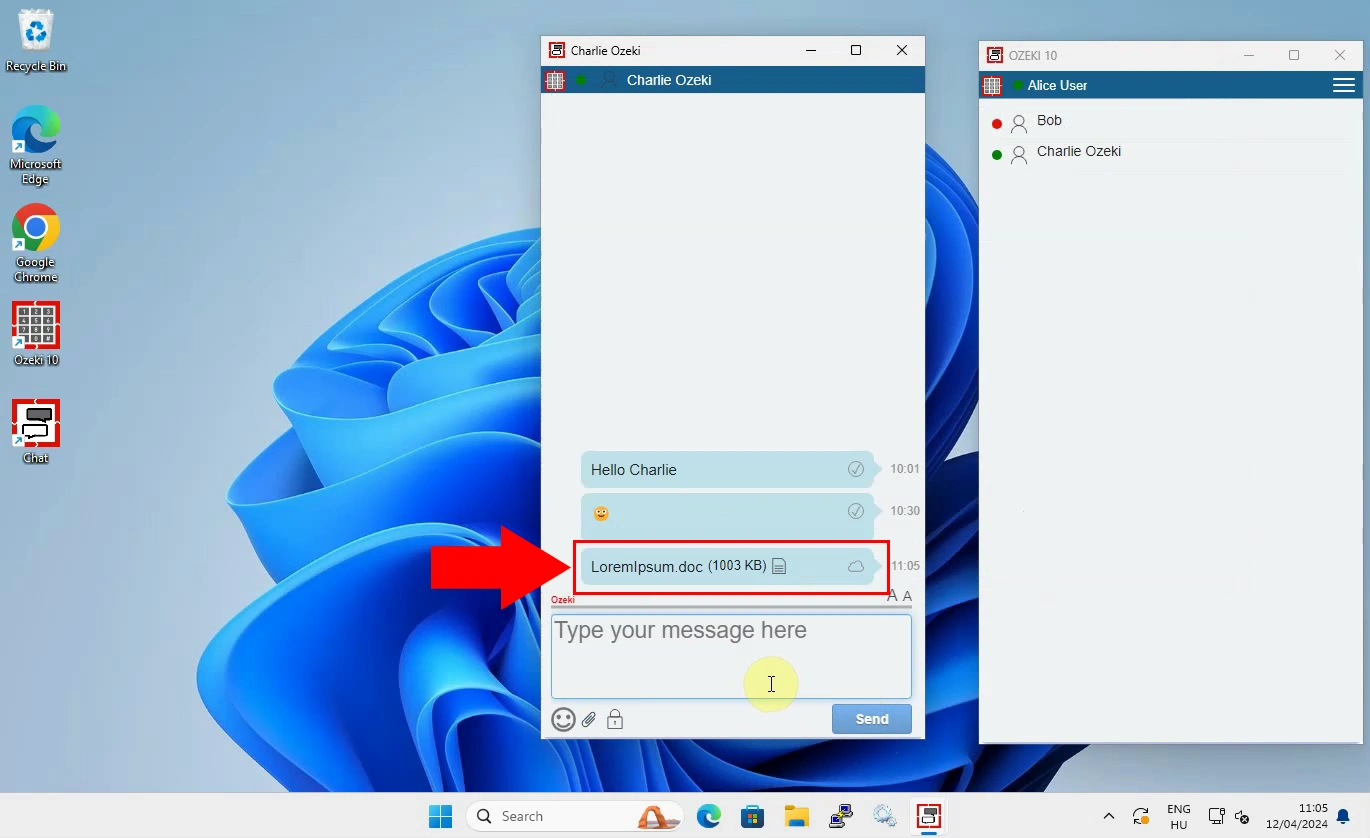
After the file has been successfully sent, you will see it as a file message in the chat conversation with your recipient. (Figure 5) At this point, your recipients will be able to access and view the .doc file you sent them through the Ozeki Chat application. They can open, download, and save it for later usage. This file sending process eases and speeds up your workflows, and providing you with the opportunity to make your chat converstaions more effective.
FAQs
Is Ozeki Chat compatible with all Windows devices?
Ozeki Chat is compatible with most Windows devices. However, ensure that your device meets the minimum system requirements for optimal performance.
Can I send .doc files of any size through Ozeki Chat?
While there is no strict file size limit for .doc files, larger files may take longer to upload and send. It's recommended to keep file sizes reasonable for efficient sharing.
Are there any security measures in place for file sharing through Ozeki Chat?
Yes, Ozeki Chat employs encryption protocols to ensure the security and privacy of your shared documents. Your files are safe during transmission.
Is there a limit to the number of .doc files I can send in a chat conversation?
There is no specific limit to the number of .doc files you can send in a chat conversation. However, consider the file size and relevance to avoid overwhelming your recipients. Additionally, if you send multiple .doc files simultaneously, each file is sent individually to maintain clarity and organization in your communication.
Summary
In conclusion, this guide has comprehensively demonstrated how to send .doc files through Ozeki Chat on your Windows device. By following the clear steps outlined with accompanying visuals, you can effortlessly share your documents with colleagues, friends, or family. With Ozeki Chat, you can streamline your workflow and enhance your communication by incorporating important .doc files directly into your chats. Whether you need to send reports, contracts, or any other document in .doc format, Ozeki Chat provides a user-friendly solution.
More information
- How to start the Windows chat client and login
- How to select a chat and switch between friends
- How to send chat message in the Ozeki Windows Chat client
- How to send an emoji in the Ozeki Windows Chat client
- How to send a word .doc file from Windows using browse icon
- How to send a word .doc from file explorer using drag and drop
- How to send a picture using Windows snipping tool and copy paste
- How to send a picture from a browser using copy paste
- How to download and open a received word document
- Windows chat client specific features
- How to uninstall the Windows chat client